I’ll Tell You Where You Can Drag Your Icon…
By Adrian Sutton
I love the fact that most OS X software is installed simply by dragging it to your Applications folder but there is one thing that really, really annoys me and I just can’t understand why developers who are clever enough to write useful software are so utterly incompetent that they distribute their software on a dmg that hides the sidebar in the finder so you can’t see your Applications folder. For instance, here’s the window that opens automatically when you mount the dmg for Microsoft Messenger:
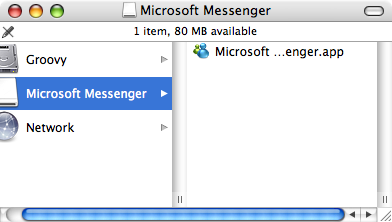
I normally have my sidebar showing so it would have been easy for me to just drag it to my Applications folder – except that Microsoft went out of their way to make it difficult. It gets worse though, some installers go to the effort of using carefully laid out folders, icons or background images so that they can provide instructions to drag to that magical Applications folder which has been so carefully hidden. For example, Camino:
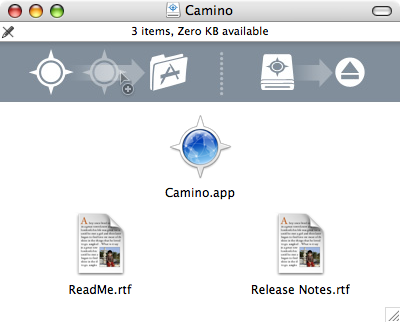
There is one shining beacon of hope in all this idiocy though – Adium has finally cottoned on to the idea that to be able to drag something to your Applications directory, you need to be able to see it. I particularly like the abstract images that provide instructions – drag the pointy circle to the folder marked A, then drag the footstool with the same pointy circle mark to the whole marked with a triangle and a rectangle. They’ve included a symlink to your Applications folder right there in the disk image – drag adium to that and it’s installed. No mess, no fuss. Oh and really simple graphics to show what to do, accompanied by actual text explaining the process as well.
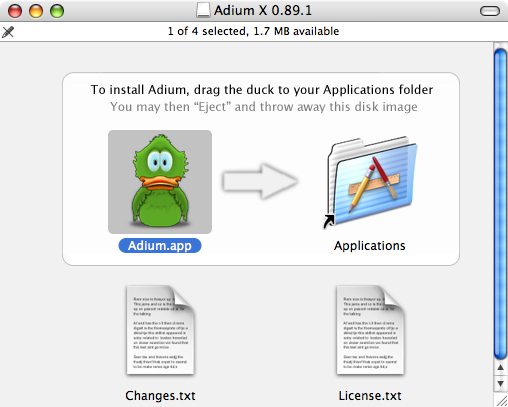
Other suitable solutions are to just leave my windows the way I want them, like NetNewsWire does. Just don’t assume that your careful layout of files will still work, like HamachiX does:
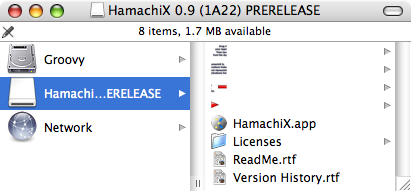
That just looks crap. It should have looked like:

Another fine example of giving instructions and going out of your way to make them difficult to follow.